
Signing up for a new platform should not feel like a second job. You have customers to call, policies to quote, and payments to follow up on. The last thing you need is a blank dashboard staring back at you on day one.
So we rebuilt onboarding from the ground up. New customers can now go from signing up to hearing Gail greet a live caller in just a few minutes — with a guided, step-by-step experience that sets up everything you need to get started without ever leaving the flow.
What's New in the Onboarding Experience?
When you sign up for Gail today, you are dropped into a guided setup that walks you through the essentials. No hunting through menus. No guessing what to configure first. Just a clear path, a live preview, and Gail doing most of the heavy lifting alongside you.
Every step shows you exactly what is being built on the right side of the screen, so you can see your workspace come to life as you fill it out.
The Guided Setup, Step by Step
Here is what the new experience looks like for a brand-new customer:
- Tell Us About You and Your Business
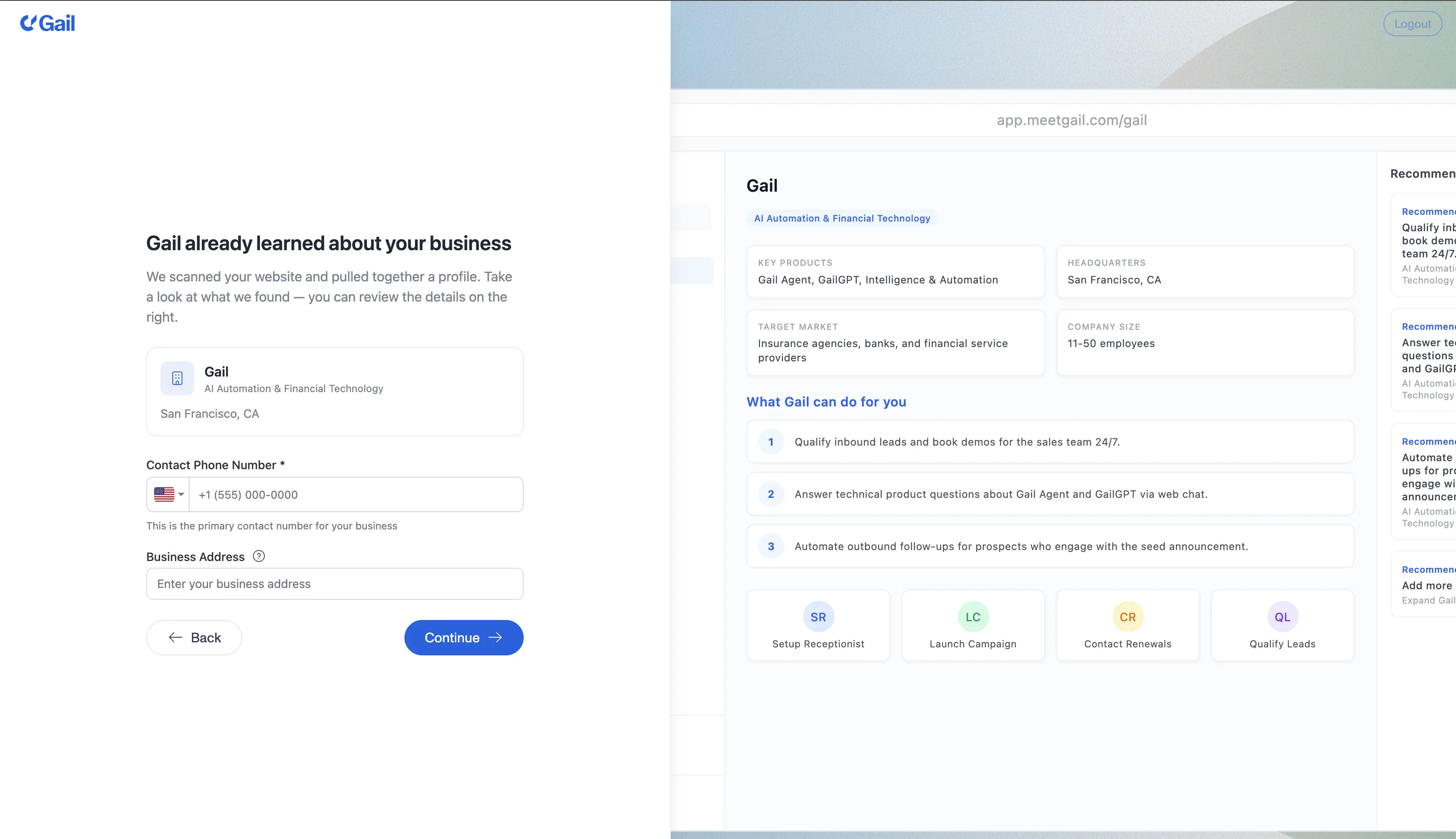
We start with the basics — your name, your company, and a quick lookup that auto-fills business details from your website or company name. If you log in with a social provider, we pull your name in for you. If not, we will do our best to infer it from your email. Small detail, but it saves you a few keystrokes at a moment when every second counts.
Here is the part people are usually surprised by: as soon as you share your website, Gail goes and reads it. She learns what you do, who you serve, the products you offer, and how you talk about your business — then adjusts her suggestions, scripts, and recommended actions for exactly that. By the time you reach the next step, Gail already has a profile of your business and a first pass at the actions she thinks you will want her to handle. You review it and tweak anything that does not fit.
- Pick What You Want Gail to Do First
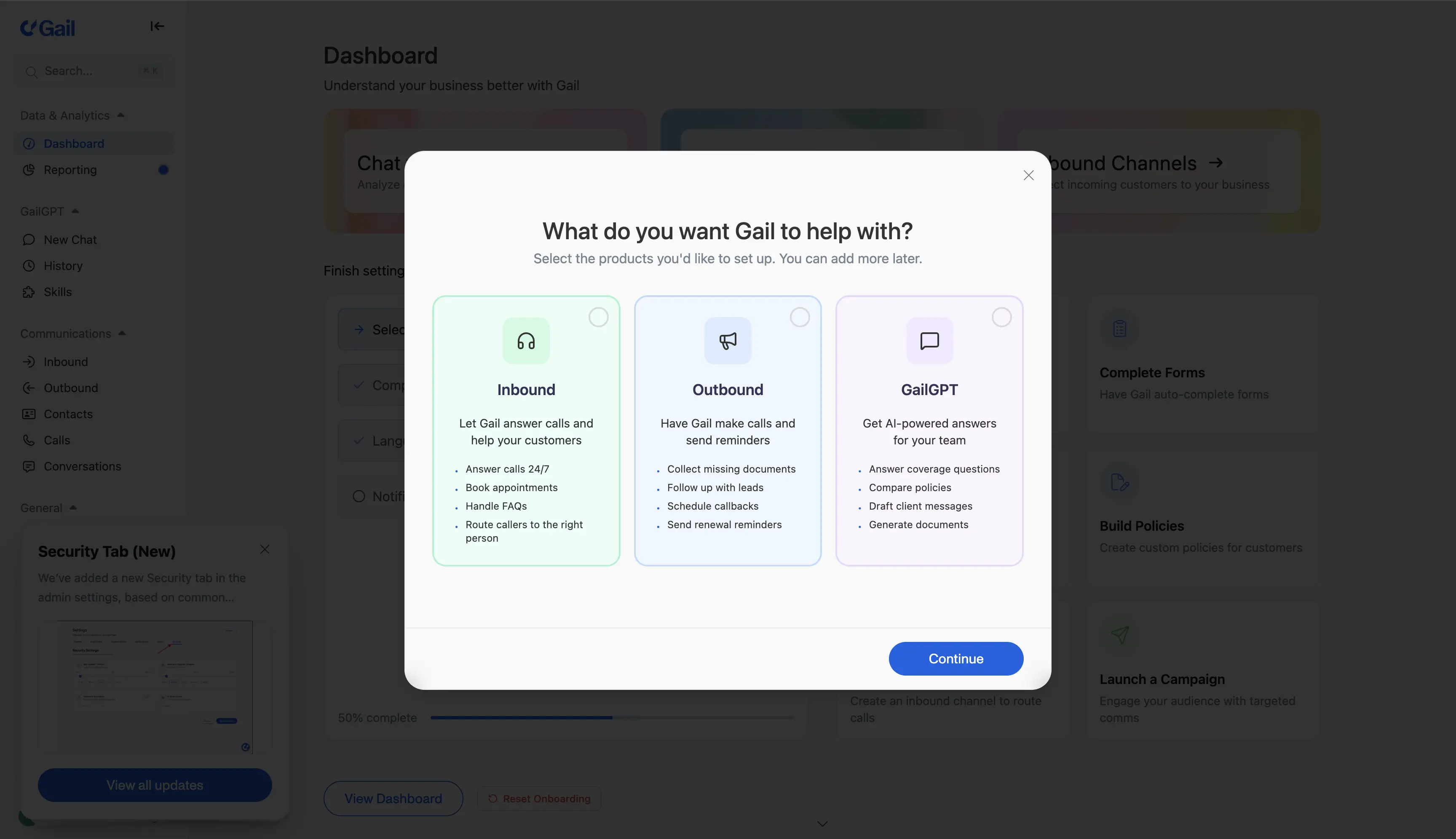
Not every customer needs the same thing on day one. Some want an AI receptionist answering the phones. Others want to reach out to a list of contacts. And others want to start with GailGPT — a domain-expert assistant for their team.
You pick one. We configure Gail around that choice, and you can always add the others later.
- Build Your First Inbound Script
If you chose the receptionist path, Gail helps you build your first inbound script in minutes. You tell Gail a bit about how you want to answer calls and what to do after hours, and Gail drafts a working script you can tweak. No staring at a blank page.
- Build Your First Outbound Script and Launch a Campaign
If you chose outbound, Gail builds your first outbound script the same way — guided, with smart defaults based on your industry. From there, you can launch a simple campaign right inside onboarding: add a test contact (or upload a small list), pick your use case, and hit launch. Gail starts calling within minutes.
This used to take multiple visits to multiple pages across the app. Now it is one guided flow.
- Create Your First GailGPT Assistant
If GailGPT is what you came for, onboarding stands up your first assistant for you — configured for your industry, ready to answer questions, and ready to be tested the moment you finish setup. You can keep refining it later, but you leave onboarding with something that already works.
- Test Gail — For Real
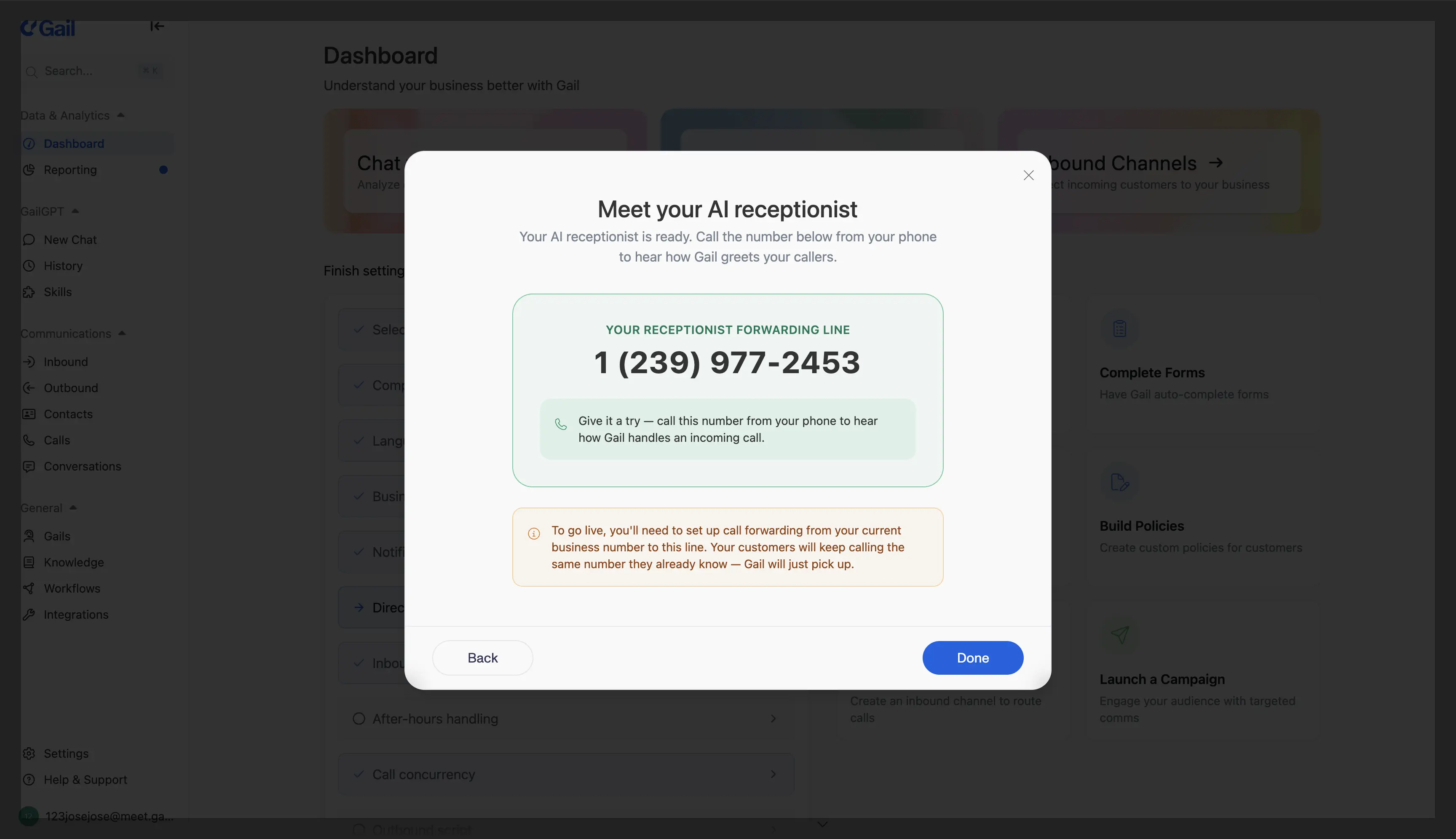
Here is the part we are most excited about. Before onboarding ends, we give you a real phone number and invite you to call it. Gail picks up. You hear how your receptionist sounds with your script, your hours, and your actions — on a real phone call. No mocks, no demos. The same Gail your customers will talk to.
It is the fastest way we know to build trust in an AI agent: let it prove itself on a live call, minutes after you signed up.
Guided Tours After Onboarding
Getting set up is only half the story. Once you are in the product, Gail offers guided tours that jumpstart you in the areas that matter most — adjusting your script, setting business hours, customizing your agent, or exploring the dashboard. Each tour is short, focused, and shows you the feature in context instead of pointing at it from a help doc.
The goal is simple: the first week with Gail should feel like a partnership, not a scavenger hunt.
Why We Built It This Way
A few things drove this redesign:
- Time to first value matters. Every minute between sign-up and "I just heard Gail answer my phone" is a minute you could walk away. We cut that window as aggressively as we could.
- Configuration is overwhelming. Gail is powerful — inbound, outbound, GailGPT, knowledge bases, actions, sequences, redialing. Dropping a new user into all of that at once does not help them. Picking one path, getting it working, then expanding from there does.
- You should see what you are building. The live preview panel next to every step is not decoration. Watching your receptionist, campaign, or assistant take shape as you configure it makes the whole process feel concrete and keeps you oriented.
- Gail should help, not just wait. Wherever we can, Gail drafts the script, infers the industry, suggests actions, and pre-fills defaults. You are reviewing and adjusting, not authoring from scratch.
What If I Am an Existing Customer?
This redesign is focused on new sign-ups, but many of the improvements — the guided tours, the live preview patterns, the "Have Gail Help" buttons scattered throughout setup flows — are already showing up across the product. You will see more of them roll out over the coming weeks.
Try It
If you or someone on your team has been meaning to get started with Gail, now is a great time. Sign-up to first call is short enough that you can do it between meetings.
If you are already a customer and want to share feedback, we would love to hear it — reach out to us at support@meetgail.com. The onboarding experience will keep evolving, and a lot of what shapes it comes directly from you.
Published
About Gail
Founded in 2024 by Michael and Matthew Vega-Sanz, Gail provides specialized AI solutions designed exclusively for the financial services sector. Headquartered in Miami, Florida, Gail also maintains offices in San Francisco.
Follow Gail on LinkedIn